

Samrat Irons: every dealer order, straight into SAP

A dealer and sales app for Samrat Irons, an authorised Tata Steel distributor in Telangana and Andhra Pradesh. Dealers order, check stock and see their account; the sales team approves, collects and tracks targets. All of it reads from and writes to SAP Business One.

Client
Samrat Irons Pvt. Ltd.
Industry
Steel distribution (Tata Steel)
Users
Dealers, sales team, directors and admin
Platforms
Android app and web admin

The dealer app

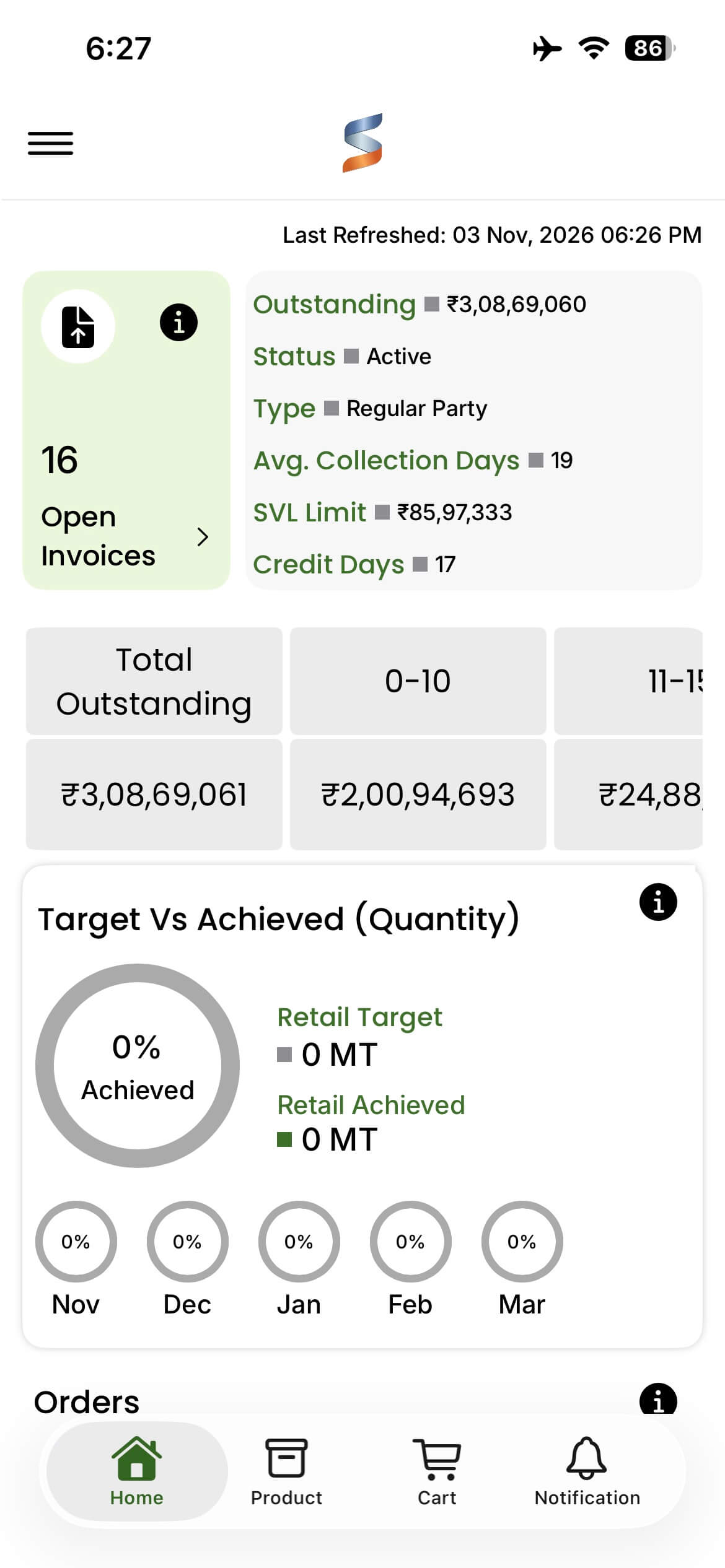
Live orders, warehouse stock, outstanding balance, ledgers, ageing reports and target performance, directly connected to SAP Business One.

  • Samrat Irons app splash screen with Samrat Building Integrity logo
  • Dealer dashboard showing outstanding balance, open invoices, collection days, credit limit and target vs achieved progress
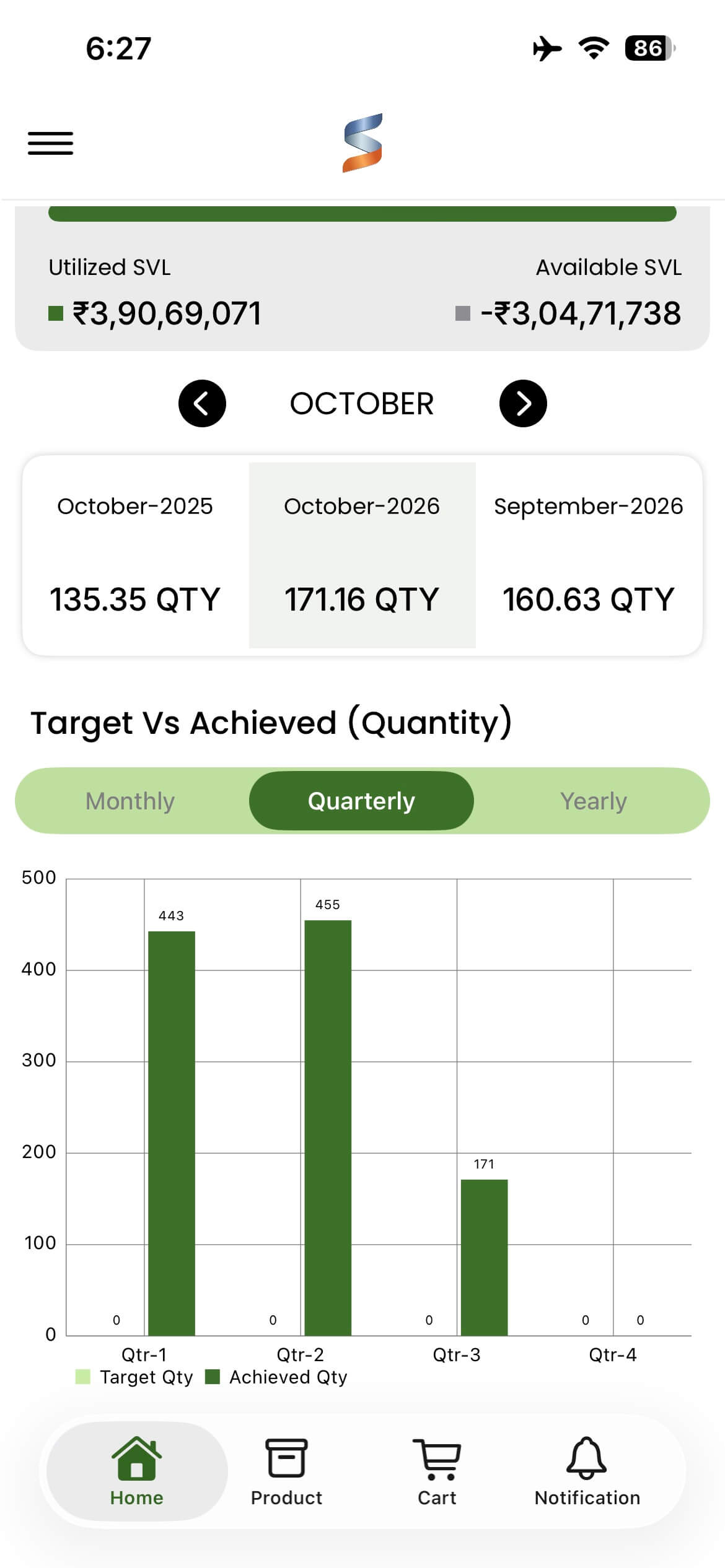
  • Target vs achieved quantity analysis with quarterly sales performance chart and credit utilization
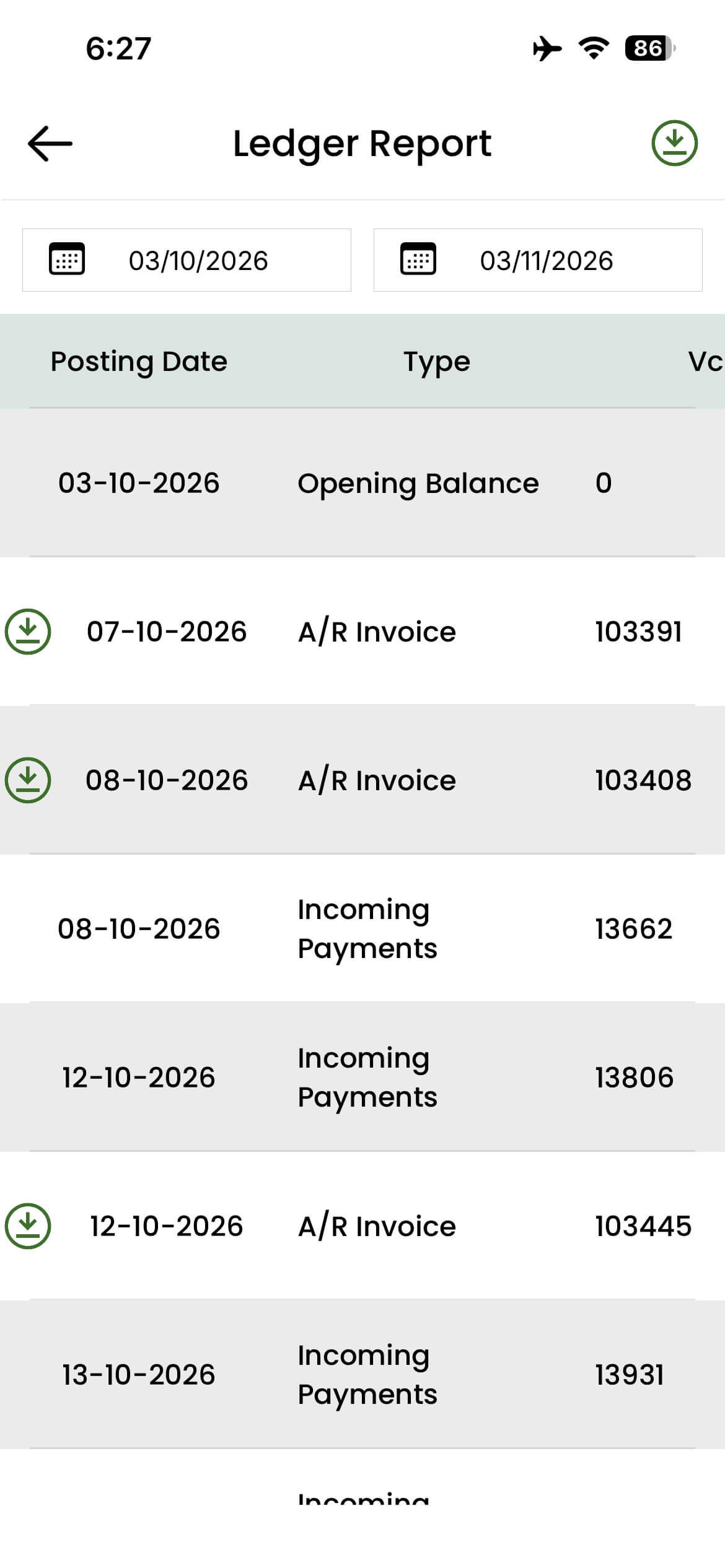
  • Ledger report showing posting dates, A/R invoices with PDF download buttons, and incoming payments
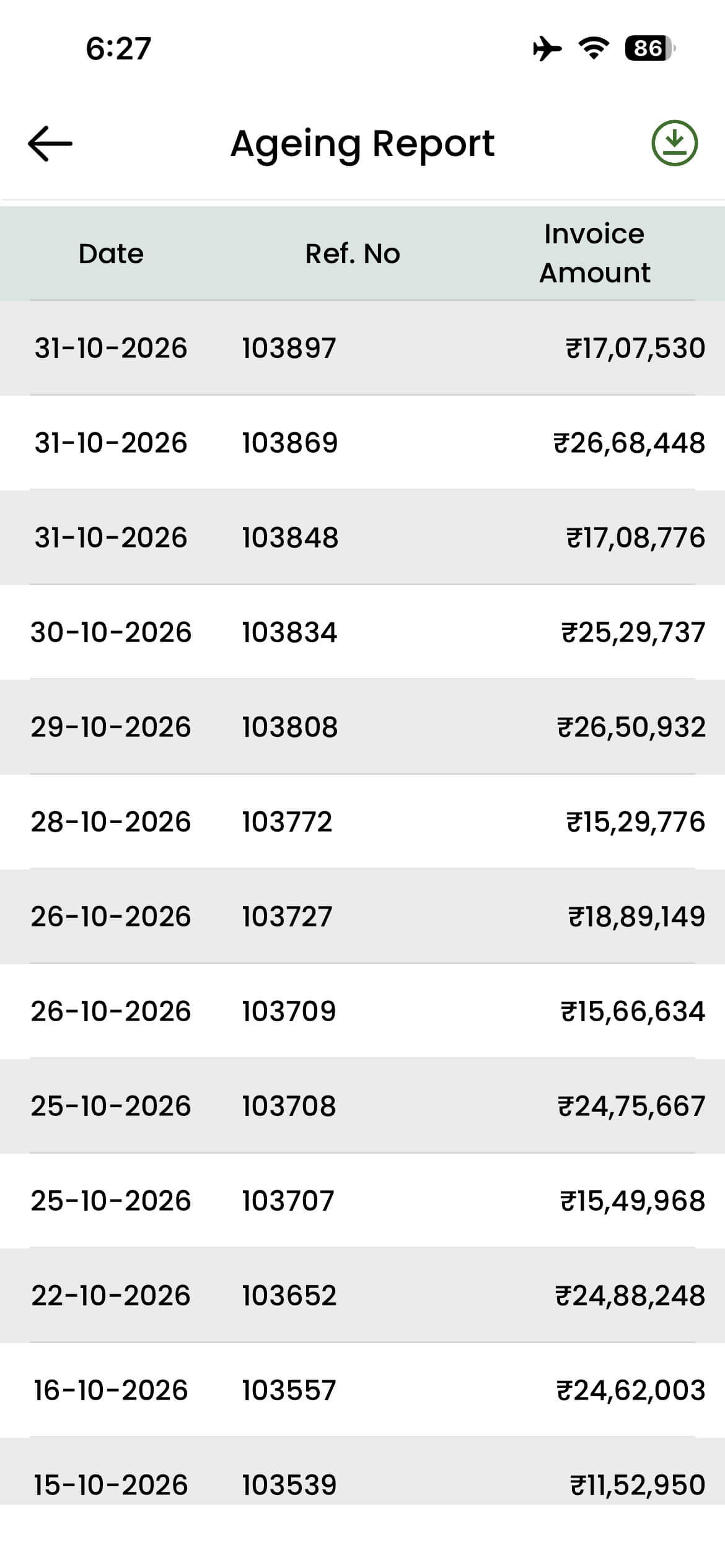
  • Ageing report listing unpaid invoices with dates, reference numbers, and invoice amounts
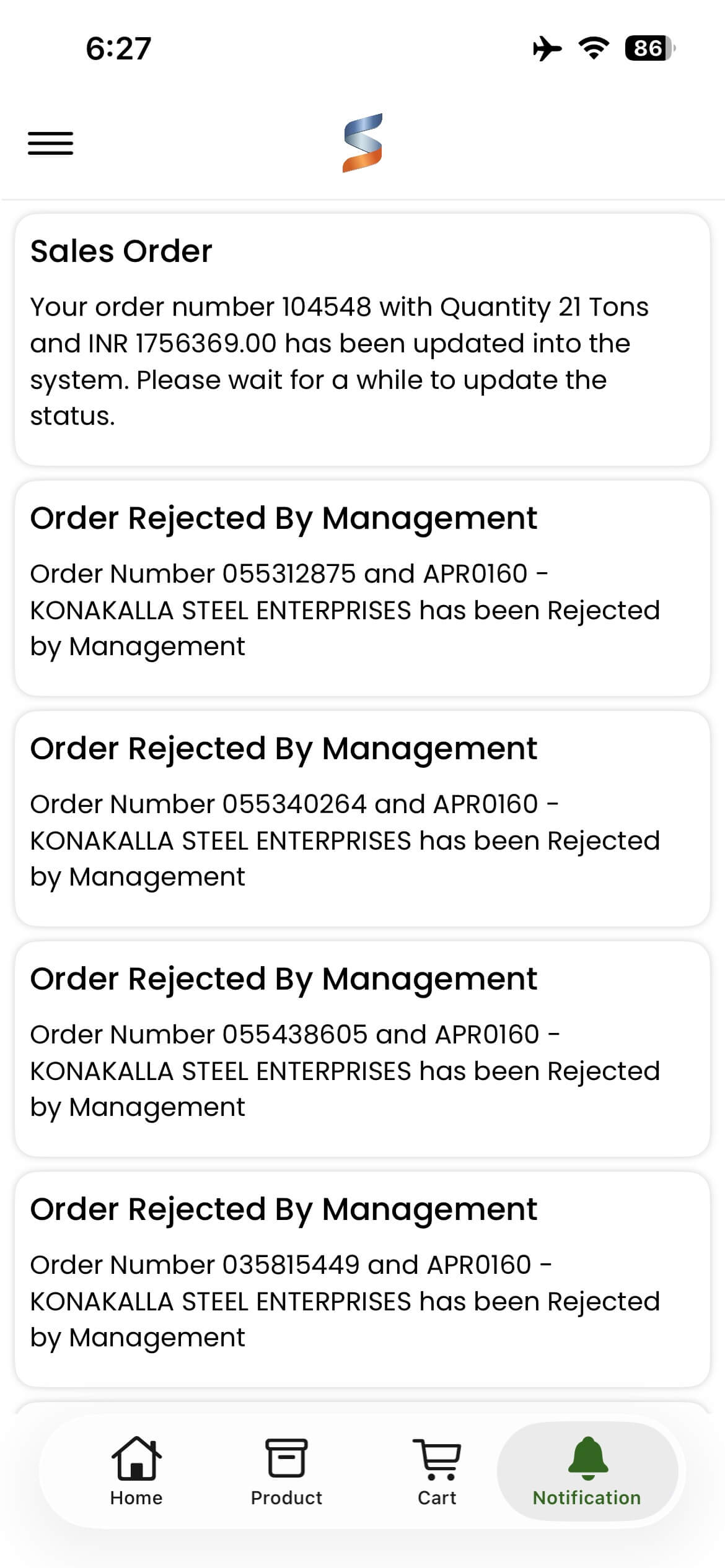
  • Notifications screen showing real-time updates for sales orders, system sync, and management approvals
dealers in the network
500+
supply capacity a year
2 lakh+ MT
downloads on Google Play
1,000+

Network and capacity figures as stated by Samrat Irons on its Google Play listing.

The problem

With hundreds of dealers ordering steel by phone and WhatsApp, every order had to be keyed into SAP by hand, and every question about price, stock, an invoice or an outstanding balance came back to the office.

The app gives dealers and the sales team the same live view of SAP Business One. Orders go in once, approvals happen on the phone, and dealers see their own invoices, ledger and ageing whenever they need them.

How an order moves

  1. Check

    The dealer checks live price and stock by warehouse.

  2. Order

    Products go into a cart and the order is placed from the app.

  3. Approve

    Sales and, where needed, a director approve or reject it.

  4. Post to SAP

    The approved order is created in SAP Business One automatically.

  5. Track

    Dispatch, invoice, ledger and outstanding update for the dealer.

What it does

For dealers

Place and track orders, and see their account without calling.

  • Live item price and warehouse stock
  • Cart, pending, open, closed and cancelled orders
  • Invoices, ledger, ageing and outstanding
  • Monthly quantity and target versus actual, including Tata Steel Aashiyana

For the sales team

Everything about their customers in one place.

  • Sales orders and approvals
  • AR invoices, collections and pending orders
  • Stock summary, dispatch and daily sales
  • Billed and zero-billed customers, dealer performance

For directors

Approve or reject orders and see targets achieved across the team.

Market visits

Sales staff log visits with purpose, district, town and photos.

Help and feedback

Dealers raise issues and feedback with attachments, and track the response.

Media and documents

Product videos, images and documents shared with dealers.

Notifications

Targeted notifications with read tracking.

Web admin

Users, roles and permissions, sales employees, forms and app usage logs.

How it’s built

  • ASP.NET MVC and Web API
  • Entity Framework
  • SQL Server
  • SAP Business One on HANA
  • SAP Service Layer
  • Windows service scheduler
  • Firebase notifications
  • Excel export
  • Android app

Need something similar?

We connect dealer and sales apps to SAP and other ERPs. See our ERP and CRM development services.

Talk to us about a similar project.

Tell us what you want to build and we will show you how we would approach it.